
Find the revenue buried in your CRM
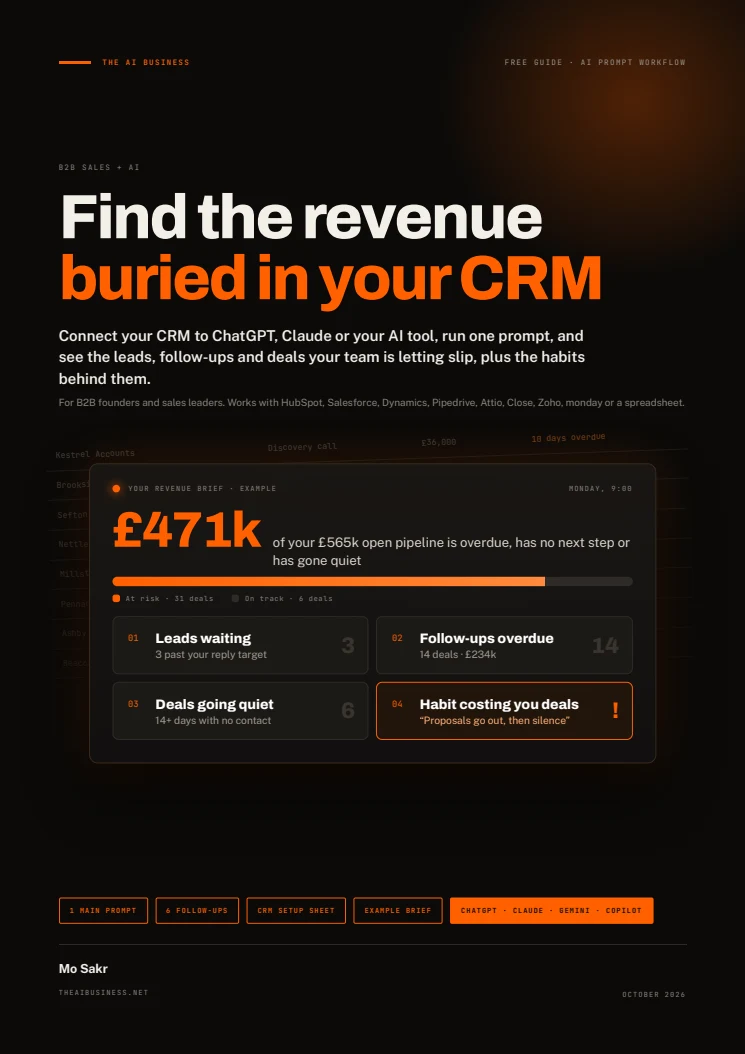
Your CRM can show a busy pipeline while new leads wait, follow-ups slip and proposals go quiet. This free 11-page guide helps B2B founders and sales leaders use AI to inspect their CRM data and turn those gaps into actions with owners and deadlines.
Get free accessOpens here after signup. No email to wait for.
Open it here.
Enter your details once to read this guide. You can then open every guide, template and tool in this browser.
Free to use. No email to wait for.
Read the guide
Your guide is ready. Read it below or download the PDF.
About this guide
Follow the setup guide, connect your CRM or upload CSV exports, then run one main prompt. It checks waiting leads, overdue or missing next steps, quiet deals, recent wins and losses, recurring patterns and data gaps. Six follow-up prompts help you draft replies, investigate one area, review losses, clean up records, estimate a forecast and compare next week with this week.
The workflow asks for evidence and confidence levels and stays read-only unless you request changes. The guide includes a fictional Fellgate IT example and a weekly review routine. Results depend on the records your AI can access; missing activity history limits what it can conclude. Spot-check findings against your CRM before acting.
What's inside
CRM setup and an export checklist
A connection-route reference plus the fields to export for deals, activities and leads. A quick-check prompt confirms the record counts, date range and recent activity before analysis.
One main prompt, in two parts
Answer five questions about your stages, sales cycle, quiet-deal threshold, owners and reply target. Get a brief covering this week, recurring patterns and a plan.
Six follow-up prompts
Draft follow-ups, investigate a stage, owner or source, review lost deals, create a clean-up list, estimate a forecast and compare weekly progress.
A fictional worked example
See a shortened brief from invented company Fellgate IT: 52 deals, 164 activities and 12 new leads. Its names and figures demonstrate the workflow, rather than report client results.
A weekly review routine
Run the brief, compare it with last week and assign three moves with owners and deadlines. Change one habit at a time and track its measure.
Who it's for
- Founders and sales leaders at B2B service and software companies, roughly $500k to $15M in revenue.
- Teams using a CRM who need to find missed follow-ups, stalled proposals and repeated sales-process gaps.
- People who can provide deal, lead and activity records through a permitted connection or CSV exports.
What you'll be able to do
- Identify leads past your reply target and deals with overdue or missing next steps.
- See which open deals have gone quiet and the pipeline value attached to them.
- Investigate recurring patterns and distinguish evidence from low-confidence findings.
- Choose three actions for the week and one habit to improve over time.
Before you start.
How can AI help find revenue leaks in a CRM?
Give it deal, lead and activity records, then use the guide’s prompt to check slow replies, overdue or missing next steps, deals going quiet and recurring patterns. The brief names records, dates, owners and amounts. Pipeline value at risk is not a prediction or guarantee of recovered revenue.
Is this a single prompt or a PDF guide?
It is an 11-page PDF guide with setup instructions, an export checklist, a main prompt in two parts, six follow-up prompts, a fictional example brief and a weekly review routine.
Can I use the guide without a CRM connector?
Yes. The guide gives a CSV route: export deals, activities and recent leads or contacts, then attach them to an AI tool that accepts file uploads. A spreadsheet can also supply the records. Start with the last 90 days, or more for a longer sales cycle.
What do I need, and will the AI change my CRM?
You need permission to use the records and an AI tool with the connection or file-upload access you need. Available connections, plans and admin requirements vary; check the current directory in your tool. The prompts instruct the AI to read only and draft messages without sending them or changing CRM records. Missing data limits the analysis, so spot-check its findings.
How do I get the guide?
Enter your full name and email to read the PDF on this page immediately and download a copy. You also subscribe to The AI Business newsletter and can unsubscribe at any time. This browser remembers your access; there is no email to wait for.